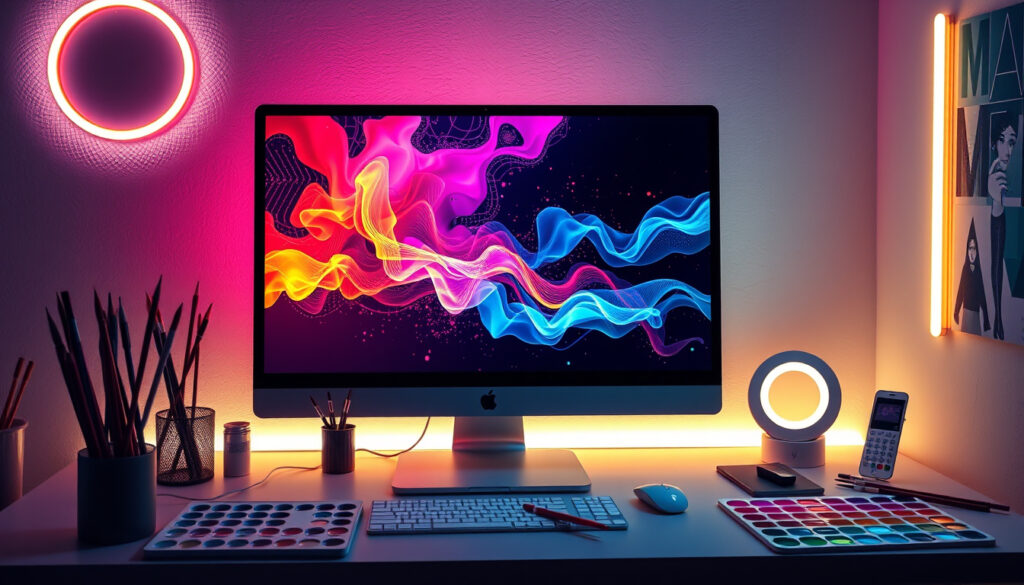
Top 5 Free AI Art Generators: No Sign-Up & Unlimited
Anyone who’s typed “generate a picture of a cat in a spacesuit” into a search bar already knows the hunt for a truly free AI art generator can feel like a maze of sign-up forms and credit limits. This guide cuts through the marketing claims to compare five tools that promise no sign-up, unlimited generations, or both — and reveals where the generous offers meet their real-world limits.
Top free AI art generators: 5 ·
No sign-up required: At least 2 ·
Unlimited generations: Perchance ·
Multiple AI models: NightCafe
Quick snapshot
- Perchance (independent generator) offers unlimited generations without sign-up
- Craiyon (community tool) also requires no login
- Canva (design platform) has a free tier with daily limits
- NightCafe (creator platform) provides multiple AI models without payment
- Which tool consistently produces the highest quality images
- Whether free tiers include commercial usage rights
- Exact number of free generations per day for DeepAI and NightCafe
- No applicable timeline — these tools are consistently available
- Expect more independent developers to release no-signup tools
- Major platforms may tighten free tiers as adoption grows
The most generous free AI art generators — those promising unlimited generations with no sign-up — come from independent developers like Perchance and FreeGen, not from billion-dollar design suites. For casual experimentation, that’s great. For reliable professional output, the independent tools often lack model variety and transparency about fair-use limits.
The pattern: Independent tools like Perchance and FreeGen lead on accessibility (no login, unlimited generations) but offer limited model choice and no clear commercial licensing. NightCafe and Canva bring model variety and professional polish but impose caps or payments. Users chasing volume on a budget will gravitate toward the indies; those needing specific outputs or rights will hit the paywalls fast.
| Tool | Sign-up required | Generations per day (free) | Models available | Commercial rights |
|---|---|---|---|---|
| Perchance | No | Unlimited | Default only | Not specified |
| Craiyon | No | Unlimited (with watermark) | Default only | Not specified |
| NightCafe | Optional | Free credits (limited) | Multiple (Stable Diffusion, DALL-E, etc.) | With paid credits |
| FreeGen | No | Unlimited (< 10 sec per image) | Default only | Not specified |
| Canva | Yes | 50 (daily limit) | Preset styles only | With Pro plan |
What is the best free AI art generator?
Comparison of features across top tools
- Perchance (independent generator): Unlimited, no login, quick batch generation
- NightCafe (creator platform): Multiple AI models (Stable Diffusion, DALL-E, etc.), no credit card required, free credits monthly
- FreeGen (no-signup generator): No signup, unlimited images, aspect ratio choices
- Craiyon (community tool): No login, unlimited usage, meme-style output
- Canva (design platform): Integrated with design tools, preset art styles, free limited generations
The trade-off: no single tool wins across all criteria. “Best” depends on whether you value volume (Perchance, FreeGen), model choice (NightCafe), or design integration (Canva). For most casual users, the no-signup tools win the convenience battle hands-down.
User reviews and ratings
NightCafe (creator platform) earns praise for model diversity from AI enthusiasts. Perchance (independent generator) users highlight speed and zero-friction access. Craiyon (community tool)‘s community appreciates its playful, meme-friendly output.
How can I generate AI art from a photo for free?
Step-by-step photo upload process
- Open NightCafe (creator platform) or DeepAI (text-to-image model).
- Upload a photo or provide a text description.
- Select style transfer or “describe” the desired edit.
- Generate and download the result.
Tools that support photo input
- NightCafe (creator platform): Allows photo-based generation and prompt refinement
- DeepAI (text-to-image model): Supports image-to-image generation
- Raphael AI (creative workflow tool): Image-to-image and style transformation
The implication: Photo-based generation is available on several free tools, but quality varies. NightCafe’s refinement options give it an edge for iterative work.
How does a free AI art generator work from text?
Understanding text prompts
Text-to-image generators convert your written description into a visual using models like Stable Diffusion or DALL-E. Perchance (independent generator) turns prompts into batches of images in seconds. FreeGen (no-signup generator) offers aspect ratio customization (1:1, 16:9, etc.) for output.
Examples of effective prompts
- “A cat in a spacesuit on Mars, digital art” — Perchance (independent generator) handles this quickly
- “Abstract painting of a sunset over mountains, oil painting style” — NightCafe (creator platform)’s model selection matches this well
- “Meme: a dog typing on a laptop, simple cartoon” — Craiyon (community tool) excels at meme-style output
Why this matters: Prompt engineering is the key skill. Specific, descriptive prompts produce far better results than vague ones, especially on free tools with limited model tuning.
Is there a free AI art generator for anime style?
Tools with anime presets
- Craiyon (community tool): Can generate anime-style images, though quality varies
- NightCafe (creator platform): Offers anime-related models like “Anime” preset
- NoteGPT (reference-image generator): Supports style prompts, but no dedicated anime model
Alternative specialized generators
No dedicated free anime generator appears in the top free tools. Users serious about anime may need to explore specialized platforms outside this comparison.
The catch: Anime style is possible through prompting on general tools, but dedicated anime generators often require payment or sign-up. For now, NightCafe’s model selection is the best bet among the free options.
Which free AI art generators require no sign-up and offer unlimited generations?
Tools with zero registration
- Perchance (independent generator): No sign-up ever, unlimited generations
- Craiyon (community tool): No login required
- FreeGen (no-signup generator): Completely free, no signup
Generators with no generation caps
- Perchance (independent generator): Unlimited batches, no visible quota
- Craiyon (community tool): Unlimited usage but watermarks output
- Imagefree (no-paywall tool): 100% free, truly unlimited, no login
The trade-off: Perchance and Craiyon deliver on the “no sign-up” promise, but Craiyon adds watermarks and Perchance lacks model variety. Imagefree and FreeGen replicate the model but operate with less transparency about long-term sustainability. For quick, unrestricted experimentation, they’re unmatched — for professional reliability, the capped but feature-rich tools win.
“Unlimited” in AI art generators often comes with asterisks: watermarks (Craiyon), unspecified fair-use limits (Perchance), or eventual rate throttling (FreeGen). Users generating hundreds of images daily should plan for a backup tool or paid plan.
Upsides
- Zero cost for experimentation and prototyping
- No personal data required on Perchance, Craiyon, or FreeGen
- Fast generation — most tools deliver under 10 seconds
- NightCafe offers model variety for free monthly credits
Downsides
- Limited or no commercial usage rights on most free tiers
- Watermarks on Craiyon and some other free outputs
- No dedicated anime or specialized style generators
- Unclear quotas — hard to predict when limits kick in
NightCafe is the AI Art Generator for AI artists, enthusiasts and content creators. Imagine it, create it, share it. No payment or credit card required.
— NightCafe website
A *fast*, unlimited, no login (ever!!!) AI image generator.
— Perchance homepage
For the casual creator: Perchance leads on access (unlimited, no sign-up) but lacks model depth. NightCafe provides the best trade-off between quality and free generosity. For professional buyers: free tiers are a trial, not a production pipeline — budget for a paid plan.
For anyone just starting out, the no-sign-up tools are a playground: you can experiment without commitment. But there’s a reason the capped tools — NightCafe, Canva — charge: they offer reliable output, model variety, and commercial rights. The independent tools may tighten their terms as they grow. The choice is simple: volume and privacy, or quality and reliability.
Frequently asked questions
Can I use AI art generators for commercial purposes?
It depends on the tool and its licensing. NightCafe offers commercial use with paid credits. Perchance and Craiyon do not specify commercial rights on their free tiers — avoid using their outputs for paid projects without checking terms.
Do free AI art generators save my images locally?
Flat AI stores images locally. Other tools may save to their servers — review privacy policies. Perchance and FreeGen do not require accounts, reducing data retention concerns.
What is the difference between an AI art generator and an AI image generator?
They are essentially the same — both convert text prompts into images. “AI art generator” emphasizes creative output, while “AI image generator” is a broader technical term. The tools covered here offer both functions.
How to get the best results from a free AI art generator?
Use specific, descriptive prompts. Include style keywords (e.g., “digital art,” “oil painting”). Experiment with aspect ratios on FreeGen or model selection on NightCafe.
Are there any free AI art generator apps for mobile?
Most tools work through mobile browsers. Canva offers a dedicated mobile app. Others may not have native apps but are mobile-responsive.
How to avoid watermarks on free AI art?
Choose tools without watermarks: Perchance, FreeGen, or NightCafe’s free credits. Craiyon and some other free tiers add watermarks — upgrading to paid plans removes them.
What is the input format for text-to-image generators?
Plain text. Most tools accept descriptive sentences. FreeGen also supports aspect ratio selection. Some, like NoteGPT, allow reference images as input.
More related posts
 Nico Parker: Ethnicity, Parents, Career & Facts
 Hard Rock Cafe Edinburgh: Location, Menu, and What to Know
 Keira Walsh: Partner, Height, Injury, Chelsea Move & Career Stats
 Quincy Jones: Biography, Feud with Jackson, and Death
 Imogen Poots: Biography, Career & James Norton Relationship
 Aamir Khan Relationships: Wives, Age Gaps, Current Partner
 Second Hand Electric Cars Ireland: 2026 Guide & Costs